Magic Desktop – Download and install on Windows
Magic Desktop Free Download: Latest full version. It is an offline installer for Magic Desktop for Windows, designed to provide a safe and user-friendly desktop environment with useful tools and features. Download Magic Desktop for PC from GetAllSoft.co

Overview Of Magic Desktop
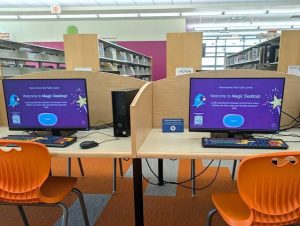
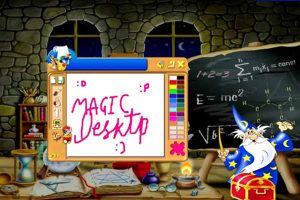
Magic Desktop is a child-safe educational software platform designed for Windows PCs that transforms the computer into a secure digital playground for kids aged 2 to 12. It acts as a protected sandbox environment, locking down the operating system with a master password so children cannot access a parent’s private files, alter system settings, or close the program. The platform comes pre-loaded with thousands of age-appropriate educational games, videos, and lessons covering subjects like math, reading, and computer literacy. Additionally, it features robust parental controls, including time-limit management and a strictly white-listed, child-safe web browser.
Key Features
- Child-friendly Interface: Easy-to-use interface designed for kids.
- Parental Controls: Parents control what kids can access.
- Educational Content: Games and activities that help kids learn.
- Safe Web Browsing: Kid-friendly web browser with approved sites.
- Creative Tools: Drawing, music, and photo editing for kids.
- Customization Options: Parents can adjust settings and add/remove apps.
- Security Features: Protection against online threats for kids’ safety
System Requirements
- Operating System: Windows 10 or later
- Processor: Any processor capable of running Windows 10
- RAM: 2 GB or more
- Free Disk Space: 1 GB or more
- Graphics: Standard graphics hardware supported by Windows 10
- Internet Connection: Required for online features and setup


Post Comment