Audacity – Free Download for Windows
Audacity is a free audio editor and sound recorder that comes with a full set of editing features. You can use it to edit your sound files using Cut, Copy, and Paste (with unlimited Undo), mix tracks together, and apply effects to your recordings. And free to download from Getallsoft.co
Overview of Audacity
Audacity is a free, open-source digital audio editor and recording application available for Windows, macOS, and Linux. It allows users to easily record live audio through a microphone or mixer and digitize recordings from other media. The software features a comprehensive suite of editing tools for cutting, copying, splicing, and mixing tracks, along with built-in effects like noise reduction and pitch adjustment. Because of its accessible interface and support for various plugins and file formats, it is widely used by podcasters, musicians, and content creators worldwide.
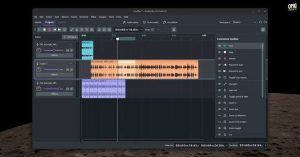
Audacity also has a built-in amplitude envelope editor, a customizable spectrogram mode, and a frequency analysis window for audio analysis applications. Some of the built-in audio effects include Bass Boost, Wahwah, Equalization, Noise Removal, Normalize, and Vocal Remover, as well as support for VST plug-in effects.
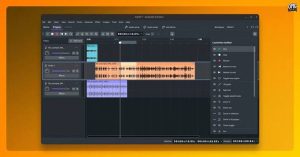
Key Features of Audacity
- Audio Recording: Record live audio using microphones, mixers, and supported input devices.
- Multi-Track Editing: Edit and combine multiple audio tracks in one project.
- Noise Reduction: Reduce unwanted background noise and improve recording clarity.
- Audio Effects: Apply equalization, compression, reverb, and other sound effects.
- Format Support: Import and export popular audio formats, including WAV, MP3, FLAC, and OGG.
- Spectrogram View: Analyze audio frequencies and visualize sound characteristics.
- Plugin Support: Extend editing capabilities with supported audio plugins.
- Audio Mixing: Adjust volume, balance, and track levels for better sound quality.
- Flexible Workspace: Organize editing layouts and manage audio projects efficiently.
System Requirements For Audacity
- Operating System: Windows 10 or Windows 11.
- Processor: Compatible Intel or AMD processor; no specific CPU or GPU model is required.
- RAM: Sufficient memory for Windows and your audio projects.
- Storage: Approximately 500 MB of free disk space is recommended.
- Architecture: Windows 64-bit and ARM64 versions are available.
- Additional Components: A compatible microphone or audio interface is required for recording. FFmpeg can be installed separately for additional import and export formats.
Audacity – Free Download
Audacity is a free audio editor and sound recorder that comes with a full set of editing features. You can use it to edit your sound files using Cut, Copy, and Paste (with unlimited Undo), mix tracks together, and apply effects to your recordings. And free to download from Getallsoft.co


Post Comment