EarTrumpet Download For Windows

Overview Of EarTrumpet
This software is a modern audio control tool built for Windows users who want more control over their sound settings. It functions as an upgraded version of the default mixer, offering far more precision and ease. With its clean interface and seamless integration, it enables you to adjust sound levels for each app individually, switch devices quickly, and enjoy an overall improved audio experience.
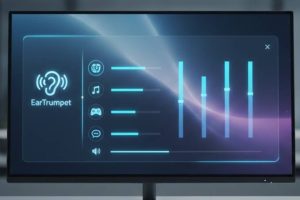
A standout feature of this tool is its ability to control the volume of each app individually. If your browser is too loud or your game is too quiet, you can adjust the balance in just seconds. This flexibility enables users to create a comfortable audio environment without needing to adjust the overall system volume.
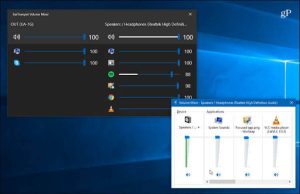
Key Features Of EarTrumpet
- Individual App Volume Control: Adjust the volume of each running application independently.
- Advanced Volume Mixer: Access a standalone mixer through the Windows system tray.
- Audio Device Switching: Move applications between available playback devices.
- Default Device Management: Change the default audio playback device.
- Audio Visualization: View multi-channel-aware audio level indicators.
- Customizable Hotkeys: Configure keyboard shortcuts for convenient audio control.
- Modern Interface: Enjoy light mode, dark mode, and Windows accent color support.
- Automatic Updates: Receive updates through the Microsoft Store.
- Multilingual Support: Use the application in multiple supported languages.
System Requirements for EarTrumpet
- Operating System: Windows 10 version 1803 or later, or Windows 11.
- Processor: Compatible Windows-supported processor.
- RAM: Standard Windows system memory.
- Storage: Free disk space for application installation.
- Audio: Working Windows-compatible audio device and drivers.
- Internet: Required for downloading and receiving updates.
EarTrumpet Free Download
Free Download: New Project EarTrumpet for Windows PC. EarTrumpet Latest full version – Advanced audio control tool for Windows users. It is a simple yet powerful volume control tool designed to give Windows users better control over their audio. And Free download from Getallsoft.co
Post Comment