Diffinity Free Download New Version
Diffinity is a lightweight text and file comparison tool for Windows. It helps users compare two files side by side, identify changes quickly, and review differences with a simple interface. It can be useful for developers, writers, and anyone working with multiple versions of text files, and it is free to download from Getallsoft.co

Overview Of Diffinity
Diffinity is a lightweight, free text comparison and merging software designed specifically for Windows operating systems. It focuses on providing highly accurate, easy-to-read source code and XML diffs by analyzing changes on both a line-by-line and character-by-character basis. The program features a customizable, tabbed interface equipped with syntax highlighting, a thumbnail map of all differences, folder comparison modes, and live in-line updating as you type. Available as a portable application, it natively supports Unicode and automatically detects file encoding mismatches to ensure seamless data verification for developers.
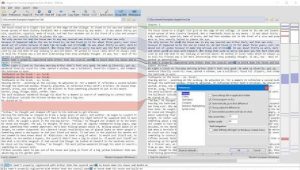
Diffinity is a specialized, lightweight text comparison and merging software designed primarily for software developers and programmers. Created by True Human Design, the Windows application focuses on delivering highly accurate, easy-to-read, and line-by-line code diffs. It features syntax highlighting, folder comparison, and character-level differentiation, alongside an interface that live-updates as you type. Ultimately, the tool simplifies code reviews and debugging by allowing users to spot modified, added, or deleted strings of code at a glance.
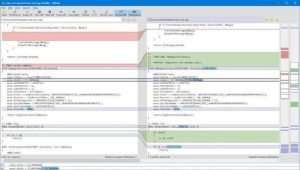
Key Features of Diffinity
- Granular Sub-line Comparing: Instead of just coloring an entire line when a change occurs, it narrows down and highlights the exact characters or words that differ
- Source Code Optimization: Offers improved diffing quality specifically designed for XML and C-style source code
- Live Inline Editing: Diffs are updated live as you type, allowing you to fix and merge code directly within the panes
- Thumbnail View: A visual sidebar strip presents a bird’s-eye thumbnail view of all the differences across the files.
- Line Differentiation: Clearly distinguishes between changed, removed, and added lines using customizable color coding
- Instance & Syntax Highlighting: Double-clicking or searching for a word highlights every instance of it across both files. It also supports syntax coloring for popular languages like PHP, XML, HTML, and C++
- Folder Comparison: Allows you to point the tool at two folders to filter and list files that match, differ, or exist on only one side.
System Requirements For Diffinity
- Operating System: Windows 7, 8, 10, or 11 (Vista is also minimally supported).
- Software Dependency: .NET 8.0 is required for the latest build (v0.9.6). Older versions required .NET Framework 4.7.2
- Storage Space: Extremely minimal. The uncompressed executable requires under 1 MB of disk space (approx. 617 KiB).
- Hardware (CPU & RAM): Any basic modern computer capable of running the operating systems listed above will easily handle this software.
Free Download: Diffinity
Diffinity is a lightweight text and file comparison tool for Windows. It helps users compare two files side by side, identify changes quickly, and review differences with a simple interface. It can be useful for developers, writers, and anyone working with multiple versions of text files, and it is free to download from Getallsoft.co


Post Comment