Octoplus FRP Tool v3.0.9 (Latest Version) Download – 2027
Octoplus FRP Tool allows you to reset Google Factory Reset Protection (FRP) for Samsung, Huawei, Xiaomi, LG, Alcatel, and Motorola cell phones. Access for 2 years and free download from Getallsoft.co
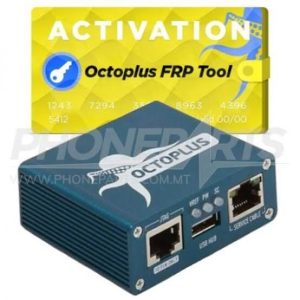
Overview Of Octoplus FRP Tool
The Octoplus FRP Tool is a dedicated software utility designed to bypass Factory Reset Protection (FRP) on a wide range of Android smartphones. It supports major brands like Samsung, Huawei, LG, Motorola, and Xiaomi using various connection modes like EDL, Fastboot, and Download mode. The tool allows technicians to reset Google account locks in just a few clicks without requiring advanced technical flashing knowledge. It receives regular software updates to support newer phone models and updated Android security patches.
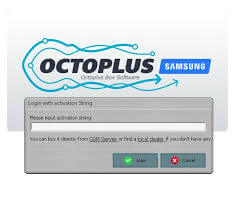
Locked out of your Android phone after a factory reset? The Octoplus FRP Tool v3.0.9 is a free Windows utility that bypasses Factory Reset Protection (FRP) and removes screen locks across a wide range of Android brands — including Samsung, Huawei, Oppo, Xiaomi, Asus, Vivo, Itel, and Infinix. It supports Android versions from 5.1 through Android 13 and beyond, making it useful for both older handsets and recent flagship models.
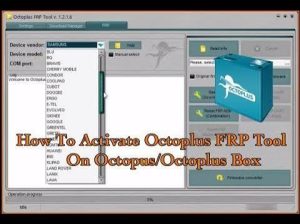
Key Features of Octoplus FRP Tool v3.0.9
- Wide Brand Compatibility: Supports Samsung, Huawei, Oppo, Xiaomi, Asus, Vivo, Itel, Infinix, and more — covering most Android devices in active use today.
- FRP & Screen Lock Removal: Bypasses Google FRP locks and resets forgotten screen locks (PIN, pattern, password) on supported devices.
- Android 5.1 to Android 13+ Support: Works across a broad range of Android versions, from older devices to current models.
- Brand-Specific Connection Modes: Each brand uses the appropriate connection method (MTP, EDL, Fastboot, Flash mode) for a reliable and safe bypass process.
- Clean Interface: The layout is straightforward enough for first-time users while giving technicians the control they need for daily repair work.
Download Octoplus FRP Tool v3.0.9
| Detail | Info |
|---|---|
| File Name | install_octoplus_FRP_3.0.9.exe |
| Version | v3.0.9 |
| Developer | Octopus Box |
| File Size | 315 MB |
| Platform | Windows |
| Price | Free |
How to Use Octoplus FRP Tool — Brand-by-Brand Guide
Step 1: Install the Tool & USB Drivers
Download the installer from the link above and run it. When prompted, install the included USB drivers — these are required for your PC to communicate with your Android device properly.
Step 2: Launch the Tool
Open Octoplus FRP Tool after installation. Run it as Administrator for best results.
Step 3: Select Your Brand and Follow the Steps Below
Samsung FRP Reset
- Select Samsung as the device brand.
- Choose your specific model from the dropdown.
- Connect your device via MTP or Test Mode.
- Click Reset FRP and wait for the process to complete.
Huawei FRP Reset
- Select Huawei as the device brand.
- Choose your device model.
- Connect your device in COM 1.0 mode.
- Click Reset FRP.
Oppo FRP Reset
- Select Oppo as the device brand.
- Choose your device model.
- Connect your device in Flash Mode.
- Click Reset FRP.
Xiaomi FRP Reset
- Select Xiaomi as the device brand.
- Choose your device model.
- Connect your device via EDL Mode.
- Click Reset FRP.
Asus FRP Reset
- Select Asus as the device brand.
- Choose your device model.
- Connect your device via Fastboot Mode.
- Click Reset FRP.
Free Download Octoplus FRP Tool v3.0.9
Octoplus FRP Tool allows you to reset Google Factory Reset Protection (FRP) for Samsung, Huawei, Xiaomi, LG, Alcatel, and Motorola cell phones. Access for 2 years and free download from Getallsoft.co
Post Comment