OpenRGB Download for Windows
Free Download OpenRGB for Windows PC. It is an open-source RGB lighting control software that eliminates the need for proprietary manufacturer software. It offers a unified interface for managing RGB lighting across various hardware brands, making it easier for users to achieve synchronized lighting effects. And a free download from Getallsoft.co

Overview of OpenRGB
It is a game-changer for PC enthusiasts and gamers who love to customize their setup. This software allows users to control RGB lighting across multiple devices, regardless of the manufacturer. With the app, you can manage the lighting on your keyboard, mouse, motherboard, GPU, and other RGB-capable components from one interface. It is designed to be simple, user-friendly, and practical, breaking the barriers set by proprietary software.
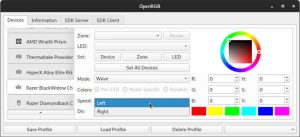
OpenRGB for Windows is a free, open-source utility designed to unify your PC’s RGB lighting control under a single, lightweight application. By downloading the latest version from the official OpenRGB Website, you can bypass the resource-heavy, proprietary bloatware provided by individual component manufacturers. The software supports an extensive range of cross-vendor hardware, allowing you to seamlessly synchronize colors and custom dynamic transitions across your motherboard, RAM, graphics card, and peripherals.
Key Features
- Manufacturer Independence: Unlike many RGB control solutions, It doesn’t rely on manufacturer-specific software. This independence means you can manage the lighting for hardware from different brands without juggling multiple applications. It’s an actual one-stop shop for RGB control.
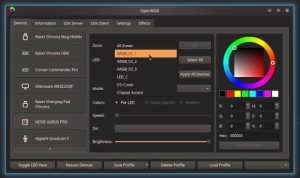
- Unified Interface: The software provides a clean and intuitive interface that makes it easy to control and customize your RGB lighting. You can create and save profiles, synchronize lighting effects across devices, and customize individual LEDs. The interface is designed to be accessible, so even those new to RGB lighting can easily use it.
- Extensive Hardware Support: It supports a wide range of RGB-capable hardware, from motherboards and GPUs to peripherals like keyboards and mice. This comprehensive support ensures that most devices can use the tool, making it a highly flexible solution.
- Community-Driven Development: As an open-source project, it benefits from a robust community of developers and users. This community-driven approach means the software is constantly being improved and updated with new features and support for additional hardware. Users can contribute to the project, report issues, and suggest enhancements, ensuring the tool remains relevant and cutting-edge.
System Requirements
- Operating System: Windows 11/10/8.1/8/7
- Processor: Minimum 1 GHz Processor (2.4 GHz recommended)
- RAM: 2GB (4GB or more recommended)
- Free Hard Disk Space: 200MB or more is recommended
Free Download: OpenRGB
Free Download: OpenRGB for Windows PC. It is an open-source RGB lighting control software that eliminates the need for proprietary manufacturer software. It offers a unified interface for managing RGB lighting across various hardware brands, making it easier for users to achieve synchronized lighting effects. And a free download from Getallsoft.co



Post Comment