OpenTabletDriver Free Download Latest Version
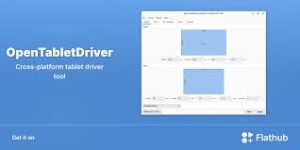
Overview of Pavlo Deskreen
It simplifies the process of setting up multiple screens for your computer. It offers a straightforward solution for those seeking to expand their workspace without investing in extra hardware. With this tool, you can seamlessly connect various devices to your PC and utilize them as additional monitors, enhancing productivity and multitasking capabilities.
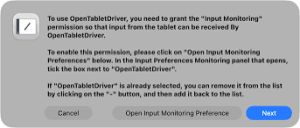
Set Up the Program in Seconds
Setting up is incredibly simple and quick. The program generates a QR code upon installation, typically taking less than a minute. Scanning this QR code using any device with a web browser lets you establish a connection between your PC and the chosen device. In case your secondary device lacks a camera for scanning the QR code, you can alternatively copy and paste a provided web address into the browser’s navigation bar. Once connected, you can share your entire PC screen or specific windows with the secondary device.
System Requirements
- Operating System: Windows 11/10/8.1/8/7
- Processor: Minimum 1 GHz Processor (2.4 GHz recommended)
- RAM: 2GB (4GB or more recommended)
- Free Hard Disk Space: 200MB or more is recommended
Free Download OpenTabletDriver
Free download Pavlo Deskreen 3.2.14 (latest version – Turn any device into a secondary display. It is a versatile program designed to transform any device with a web browser, such as an old Android phone, iPad, or even a portable gaming console, into a secondary display screen for your PC. This tool allows you to extend your desktop workspace without additional physical monitors. And Free download from Getallsoft.co
Post Comment