Paintbrush For macOS Free Download
Paintbrush for macOS: Free Download Full Version Latest. It is an offline installer and torrent dmg setup for Apple macOS from Getallsoft.co
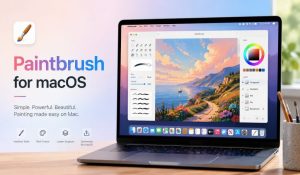
Overview – Paintbrush for macOS Free Download
Paintbrush for macOS Free Download is a user-friendly drawing and painting application for Mac users who need a straightforward alternative to complex graphics editors. It is ideal for students, teachers, casual artists, and anyone who wants quick sketches or easy illustrations. Paintbrush merges simplicity with important features. Paintbrush For macOS Free Download enables users to make and edit bitmap images without unnecessary complexity, unlike heavy software such as Photoshop or Illustrator. One of the major reasons users look for Paintbrush for macOS Free Download is its intuitive interface.
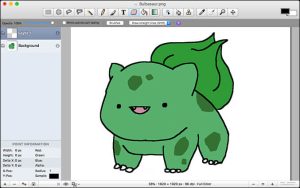
New learners can also open the app and start drawing within minutes because of its minimalistic design that mirrors classic paint applications found on older systems. You can also fill, draw, erase, and apply basic shapes with ease. Paintbrush is perfect for screenshots, annotations, icons, easy logos, and small digital art projects. Another advantage of Paintbrush for macOS Free Download is its performance. The app runs on both older and advanced Mac hardware without consuming significant memory or CPU resources. This makes it ideal for professionals or students who require a lightweight tool for speedy image editing, teaching, or note-taking. The app also supports several file formats, including JPEG, BMP, GIF, and PNG, and provides compatibility for everyday use of basic web graphics.
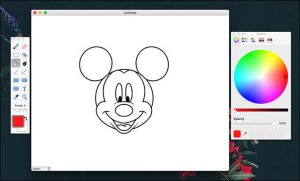
Do you want a clean drawing app for daily Mac use?
Paintbrush for macOS Free Download is beneficial for everyday drawing and easy editing. You can also make quick designs, mark images, and make little changes without opening a large editing program.
Versions
- Paintbrush 1.2 — 2008
- Paintbrush 2.0 — 2009
Key Features
- Simple Drawing Tools: Paintbrush provides you with basic tools for sketching, drawing, and making speedy edits. You can also use it for easy shapes, lines, freehand drawing, and small creative tasks.
- Easy Image Editing: You can also open an image and make simple changes without learning complex editing software. It is beneficial for quick image touch-ups, simple annotations, and small design edits.
- Microsoft Paint Style Interface: Paintbrush is very much similar to Microsoft Paint and the old MacPaint. This makes it simple for beginners and Windows users to understand quickly. SourceForge describes it as a Cocoa-based paint program similar to MacPaint and Microsoft Paint.
- Lightweight App: The app does not require much storage as it is small. MacUpdate lists Paintbrush for Mac version 2.6 at around 5.5 MB, which makes it a lightweight choice for basic image work.
- Quick Image Creation: Paintbrush is beneficial when you need to make an easy graphic, rough sketch, icon, or visual idea fast. It avoids the heavy tools found in modern editors.
System Requirements
- Operating System: macOS 10.12 Sierra or later
- Processor: Intel Mac or Apple Silicon Mac
- RAM: Minimum 2GB (4GB recommended)
- Storage: 50MB free disk space
- Internet Connection: Required for download and optional updates
Alternatives
- Tux Paint For Windows 10
- Seashore
- GIMP
- Krita
- SketchBook
Paintbrush For macOS Free Download
Paintbrush for macOS Free Download Full Version latest. It is an offline installer and torrent dmg setup for Apple macOS from Getallsoft.co

Post Comment