Samsung DeX Download For PC New Version
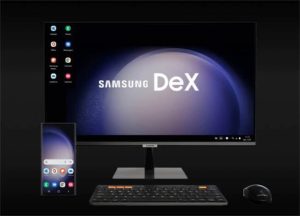
Overview of Samsung DeX
This software takes multitasking to the next level by seamlessly merging the worlds of laptops, computers, and mobile devices onto a single screen. The primary goal is to enable users to work and harness the full potential of both their computers and mobile devices without any interruptions. This innovative tool facilitates a seamless transition between your laptop and mobile device, allowing you to access messages, take calls, and receive notifications directly from your computer screen.
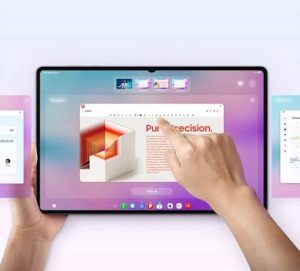
Samsung DeX (Desktop Experience) is a built-in software platform that turns compatible Galaxy smartphones and tablets into a desktop-like computer. By connecting your device to an external monitor, TV, or PC via a USB-C cable or wirelessly, you can use a keyboard and mouse to navigate a familiar Windows-style interface. It allows you to resize multiple app windows, drag and drop files, and run productivity tools simultaneously for true multitasking. Essentially, it lets you leave your laptop behind and use your mobile device as your primary workstation.
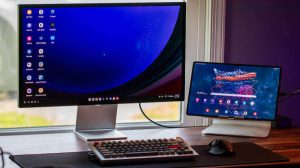
Key Features of Samsung DeX
- Desktop-Style Interface: Use compatible Galaxy devices with a PC-like workspace.
- Multitasking: Open and manage multiple applications in resizable windows.
- Keyboard and Mouse Support: Navigate applications using familiar desktop controls.
- File Transfer: Move supported files between your Galaxy device and computer.
- Copy and Paste: Transfer text and supported content between connected devices.
- External Display Support: Connect compatible devices to monitors and TVs.
- Wireless DeX: Use supported Galaxy devices with compatible wireless displays.
- Productivity Tools: Work with documents, presentations, browsers, and supported applications.
System Requirements For Samsung DeX
- Operating System: Windows 11/10
- Processor: Multicore Intel Series or above, Xeon or AMD equivalent
- RAM: 4GB (8GB or more recommended)
- Free Hard Disk Space: 4GB or more recommended
Free Download: Samsung DeX
Free download Samsung DeX Latest version – Connect your Galaxy & Multitask Between Devices. It is a powerful tool designed for those who wish to enhance their mobile computing experience with their Galaxy device. This application transforms your smartphone or tablet into a desktop-like workspace, offering a unique and convenient way to interact with your device, especially when using a large monitor or TV. And Free download from Getallsoft.co

Post Comment