Google Chrome Canary – Download New Version
Google Chrome Canary is an experimental web browser designed for testing new Chrome features before they reach the stable release. It receives frequent updates and is useful for developers and users who want to explore upcoming browser technologies. It is available for free download from Getallsoft.co

Overview Of Google Chrome Canary
Google Chrome Canary is the experimental, bleeding-edge version of the Chrome browser designed primarily for developers, testers, and tech enthusiasts. It receives nightly automated updates containing the newest features and code changes straight from Google, long before they reach the stable public version. Because these updates are released without manual testing, the browser is highly unstable, prone to frequent crashes, and not recommended for daily, dependable use. Crucially, it installs as a completely separate application, allowing you to run it side-by-side with your standard, secure Chrome browser without affecting your data.
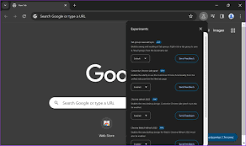
Most people use Stable, which has undergone thorough testing and is the safest option. Canary is the most experimental of the four versions, as releases go out as soon as they are built, without testing or use by Google engineers. The Beta channel shows what’s next for Chrome with minimal risk, while the Dev channel receives more frequent updates but still has bugs. According to Google, Chrome Canary updates with new features almost daily and can run alongside Chrome Stable for development and testing. It can be downloaded for Windows (64-bit and 32-bit), macOS, and Android. Google attaches a warning sign to Canary: it’s the least stable Chrome build, used to test bleeding-edge features that may not work. So why should developers consider using it?

Key Features
- Early Access to Features: Try experimental Chrome features before their stable release.
- Frequent Updates: Receive regular builds with new changes and improvements.
- Developer Tools: Test websites and web applications using Chrome’s development tools.
- Independent Installation: Run Canary alongside the regular Google Chrome browser.
System Requirements Of Google Chrome Canary
- Operating System: Windows 10 or later for current Windows releases; requirements may vary by platform.
- Processor: Compatible Intel or AMD processor.
- Memory (RAM): 4 GB RAM recommended for general browsing.
- Storage: Available disk space for installation, browser updates, and cached data.
Free Download Of Google Chrome Canary
Google Chrome Canary is an experimental web browser designed for testing new Chrome features before they reach the stable release. It receives frequent updates and is useful for developers and users who want to explore upcoming browser technologies. It is available for free download from Getallsoft.co



Post Comment