PngOptimizer Download for Windows – Free PNG Compressor
PngOptimizer is a lightweight, freeware utility designed to reduce the file size of PNG images without losing image quality (lossless compression). Created by Hadrien Nilsson, it cleans out unnecessary metadata and hidden text bytes embedded by graphic editors, making the files ideal for web design and digital optimization. Free download from Getallsoft.co
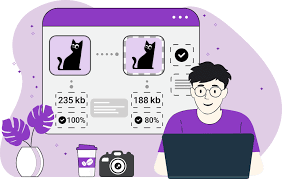
Overview of PngOptimizer
PngOptimizer is a lightweight, open-source Windows application designed to reduce the file size of PNG images without sacrificing visual quality. By cleaning up unnecessary metadata, optimizing the pixel structure, and converting other formats like BMP, GIF, or TGA into optimized PNGs, it streamlines images for faster web loading. The tool features a highly intuitive, minimalist interface that allows users to simply drag and drop files to initiate automatic, batch-mode compression. Because it operates strictly on a lossless compression algorithm, it ensures that your graphics remain perfectly crisp and identical to the original version while saving valuable disk space.
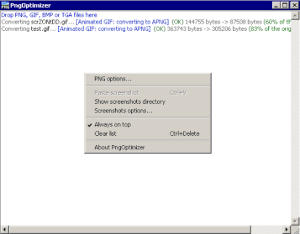
PNGOptimizer stands out as a highly efficient utility designed to streamline your web assets by reducing the file size of PNG images without sacrificing visual quality. By stripping away unnecessary metadata and optimizing pixel compression, it ensures your graphics load faster and consume less bandwidth. The interface is remarkably user-friendly, allowing you to easily drag and drop files for instant, automated processing. Ultimately, incorporating this tool into your development workflow helps boost your website’s performance and enhances the overall user experience.
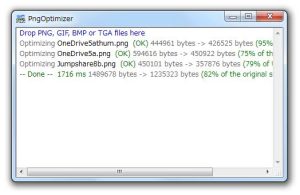
Key Features of PngOptimizer
- PNG Compression: Reduce PNG file sizes while preserving image quality.
- Metadata Removal: Remove unnecessary information from image files.
- Image Conversion: Convert supported BMP, GIF, and TGA files into PNG format.
- Batch Processing: Optimize multiple images in a single operation.
- Animated PNG Support: Work with supported APNG images.
- Portable Version: Run the portable edition without a traditional installation.
System Requirements For PngOptimizer
- Operating System: Windows 10 or Windows 11; older versions may also be supported by some packages.
- Processor: Compatible 32-bit or 64-bit Windows processor, depending on the download.
- RAM: Basic system memory is generally sufficient for ordinary image processing.
- Storage: Less than 1 MB for some portable packages; allow additional space for extracted files and images.
- Installation: The portable ZIP package requires extraction before running the application.
PngOptimizer Download
PngOptimizer is a lightweight, freeware utility designed to reduce the file size of PNG images without losing image quality (lossless compression). Created by Hadrien Nilsson, it cleans out unnecessary metadata and hidden text bytes embedded by graphic editors, making the files ideal for web design and digital optimization. Free download from Getallsoft.co

Post Comment